

Special offers
A special offer takes a percentage off some or all of your dishes on one day of the week, such as 15% off pies every Tuesday. Use them to fill quiet nights. Guests get the discount when they order from their table, with no code needed.
-
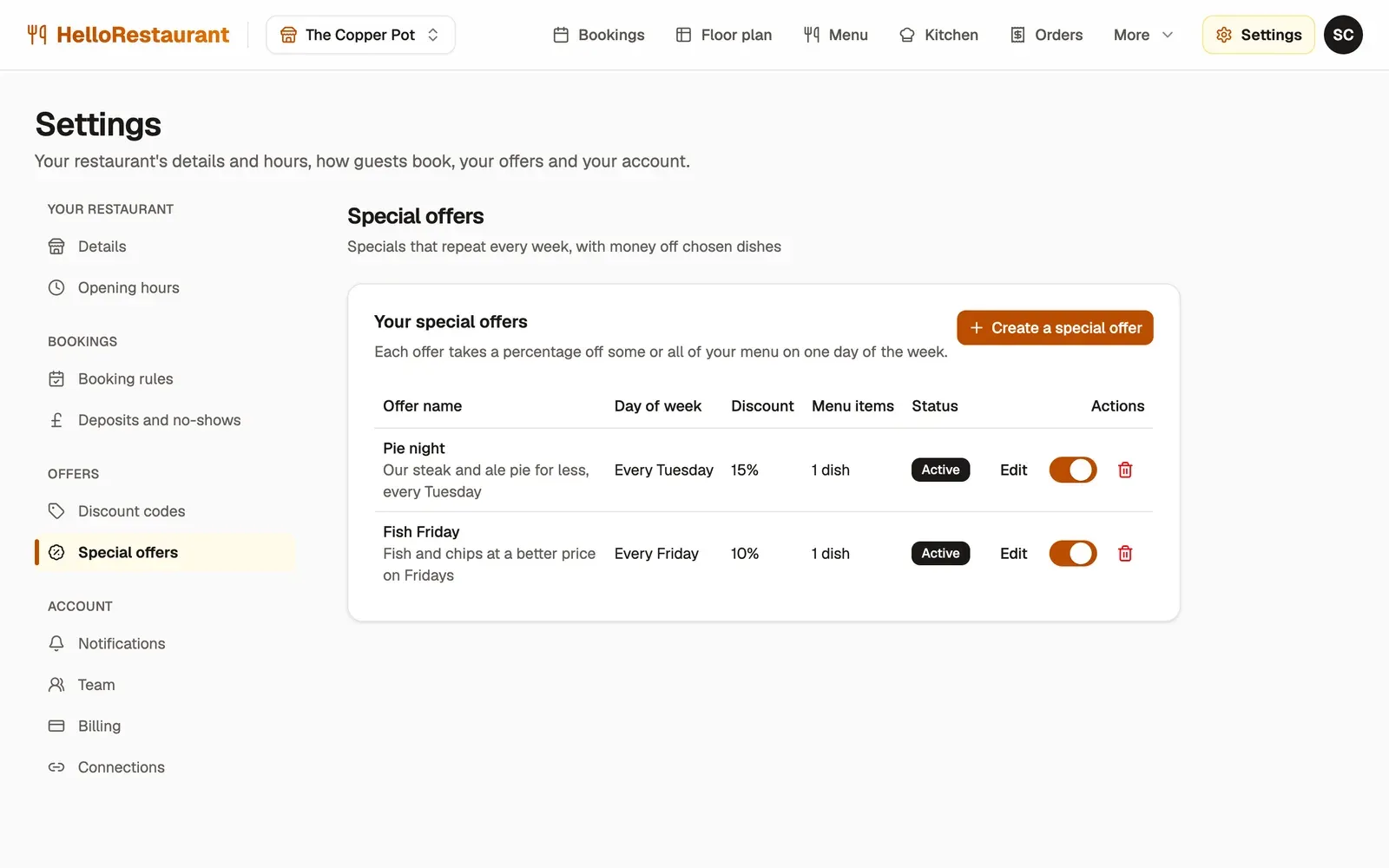
Open Settings in the top bar, choose Special offers, then press Create a special offer. Give it an Offer name and a description, choose the Day of week and the Discount percentage, and choose the Menu items it applies to. Press Create offer.
-
Press Edit to change when the offer runs, its discount or its dishes.
-
Use an offer’s switch to stop it for a while, and switch it back on later.
Every week, or just once
Section titled “Every week, or just once”Offers repeat every week to start with. To run one on the next of its day only, such as a one-off curry night next Thursday, turn off Repeats every week. The list then shows the date it runs.
How guests see it
Section titled “How guests see it”On the offer’s day, when guests order from their table, the discount comes off the chosen dishes at checkout. Their order shows it under Today’s offers, with how much each dish is off.
Delete an offer
Section titled “Delete an offer”Press the delete button beside an offer, then confirm. Guests won’t get the discount any more, and this can’t be undone.