

Orders
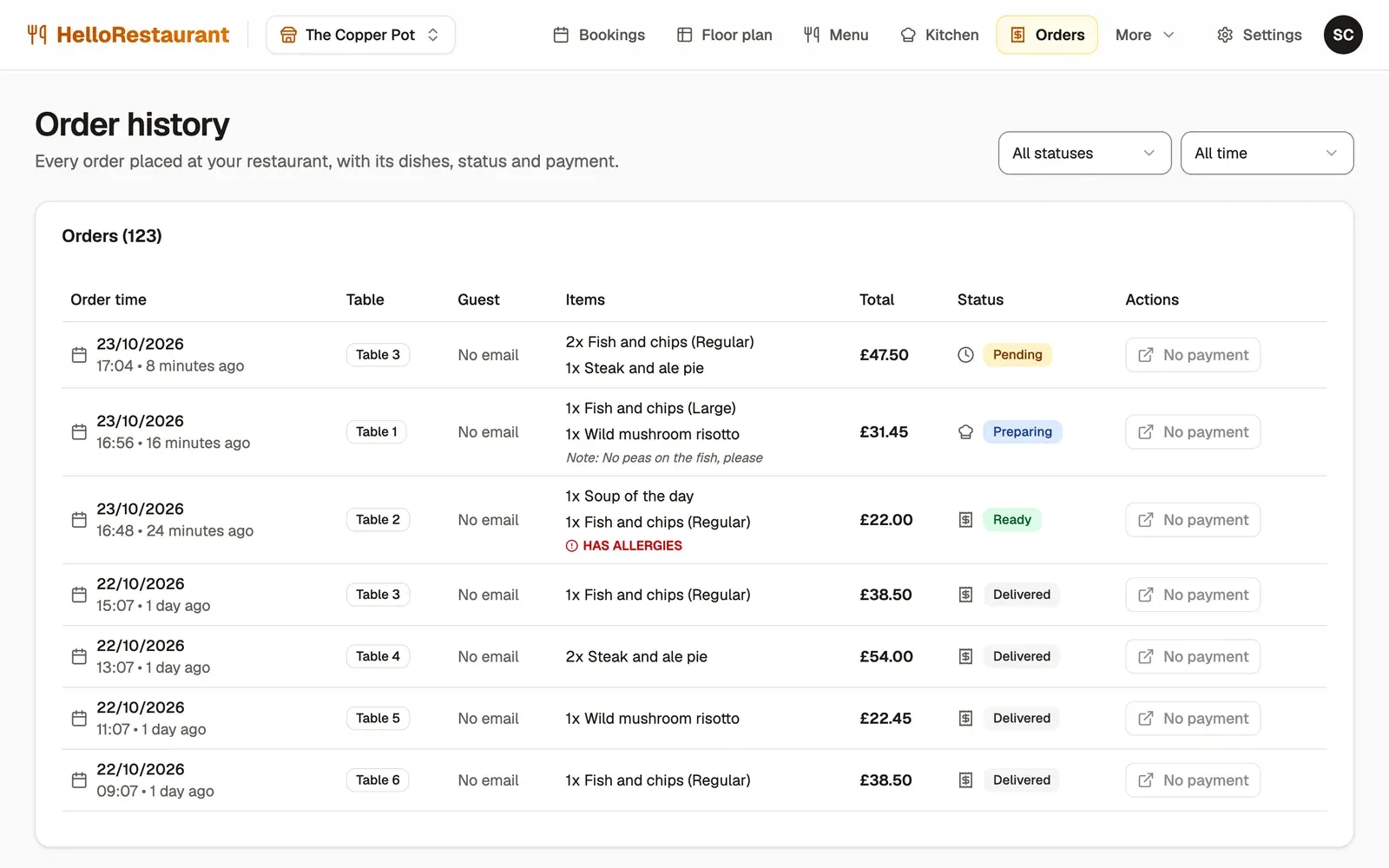
The Orders page keeps every order: those guests placed from their table, and those your team took on the kitchen screen. Use it to answer a question about a bill, or to see what a table had.
-
Filter by status: Pending, Preparing, Ready, Delivered or Cancelled.
-
Filter by date: Today, This week, This month or All time.
Each order shows when it was placed, its table, its dishes and notes, its total and its status. Orders with an allergy are marked Has allergies.
Payments
Section titled “Payments”Guests who order from their table pay by card when they order. Press View payment on an order to open its card receipt.
Orders your team takes on the kitchen screen show No payment: take payment for them at the till as usual.