

Reviews
After a visit, guests are asked how it went. Their reviews show on your booking page, with your replies, and help new guests decide to book.
How guests are asked
Section titled “How guests are asked”When you set a booking to Finished (see Run a service), the guest is emailed a short form. They give stars for the food, the staff, value and the wait, and can add a comment. Only guests who had a booking can review, so every review is from a real visit.
Read and reply
Section titled “Read and reply”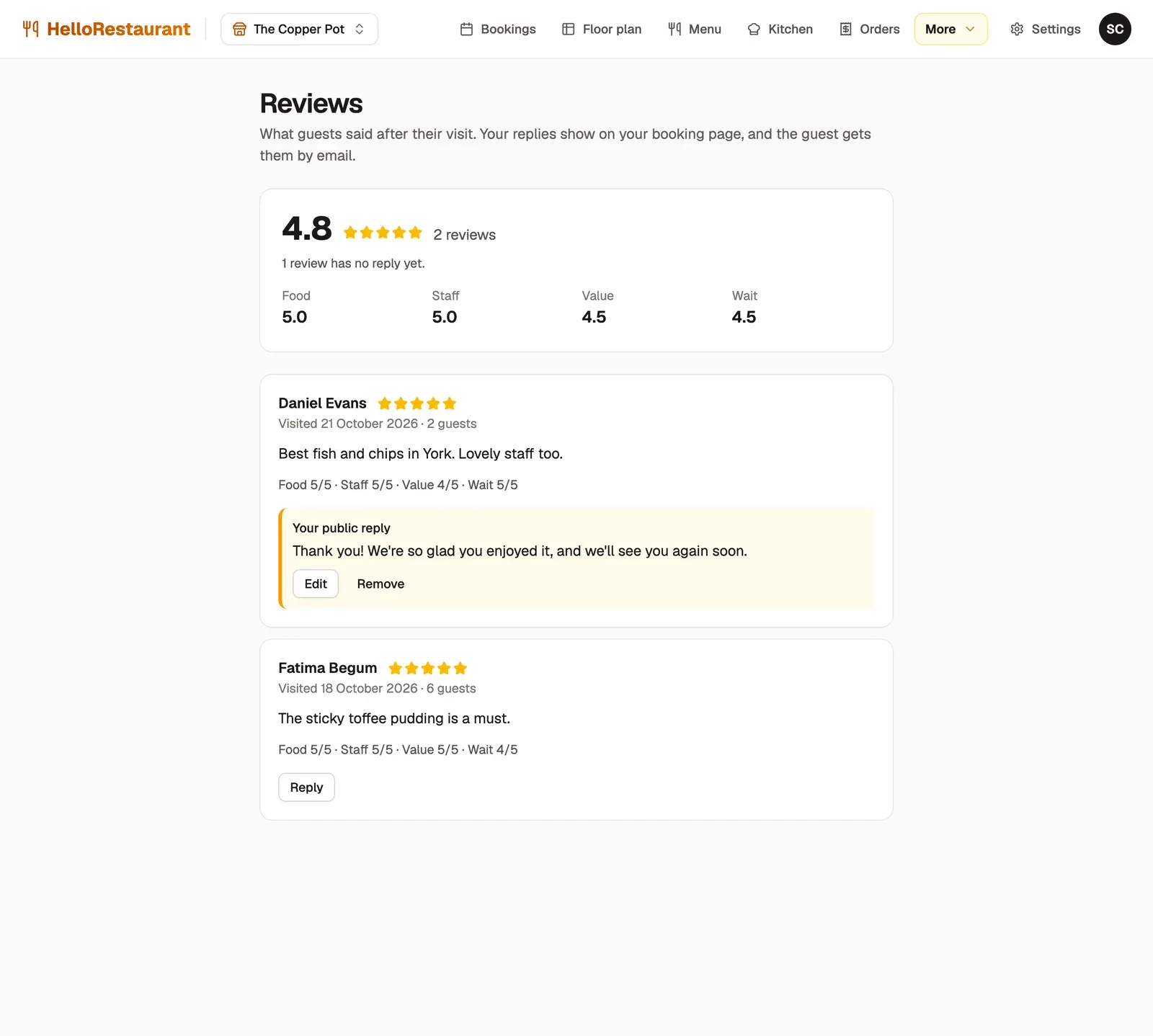
-
Open More in the top bar, then Reviews. The summary shows your average rating, the averages for food, staff, value and wait, and how many reviews have no reply yet.
-
Press Reply under a review, write your reply, then press Post reply. It shows publicly under the review on your booking page, and the guest gets an email the first time you reply.
-
Press Edit to change a reply, or Remove to take it down.
Replying well
Section titled “Replying well”- Thank the guest by name, and mention something they said.
- If something went wrong, say sorry and what you’ve done about it. Keep it short and calm: other guests will read it.
- Don’t share private details, such as their booking or what they spent.
Managers and the owner can reply to reviews.