

Share your booking link
Guests book more when the link is wherever they find you. Your link always shows your latest hours and free tables, so you only need to add it once.
Copy your link
Section titled “Copy your link”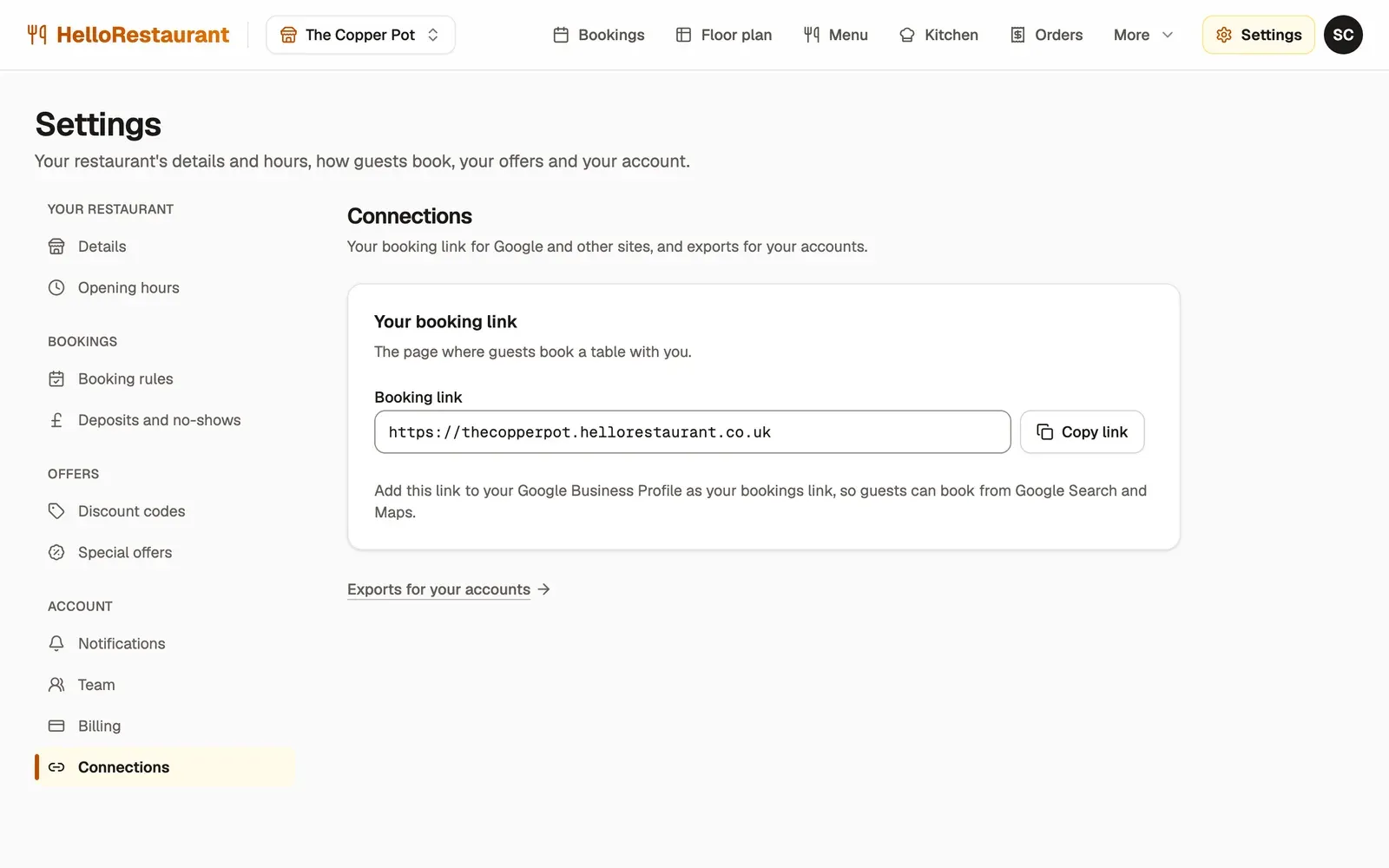
-
Open Settings in the top bar, then choose Connections to find your Booking link.
-
Press Copy link.
Google Search and Maps
Section titled “Google Search and Maps”Most guests find restaurants on Google. Add your link to your Google Business Profile, and a booking button shows on your listing in Search and Maps.
- Search Google for your restaurant’s name while signed in to the Google account that manages your listing, or open business.google.com.
- Choose Bookings, or Edit profile, then find the bookings or reservations link.
- Paste your booking link and press Save.
Google can take a few days to show the change.
- On your restaurant’s Instagram account, choose Edit profile, then Links.
- Add an external link, paste your booking link, and give it a title such as “Book a table”.
Mention “Book from the link in our bio” in posts about specials and events.
On your restaurant’s Facebook page, add an action button, choose Book now, and paste your booking link.
Your website
Section titled “Your website”Ask whoever looks after your website to add a Book a table button, near the top of every page, that opens your booking link. If you built the site yourself, most website builders call this a button or link block.
Emails, menus and receipts
Section titled “Emails, menus and receipts”- Put the link in your email signature, and in any newsletter.
- Print it, or a QR code of it, on takeaway menus and receipts.
- Read it out on your phone’s answerphone message: “or book online at…”.
Share news on your booking page with social posts.