

Restaurant details
Guests see your details on your booking page, and they appear in the emails we send them, so start here.
Your name and contact details
Section titled “Your name and contact details”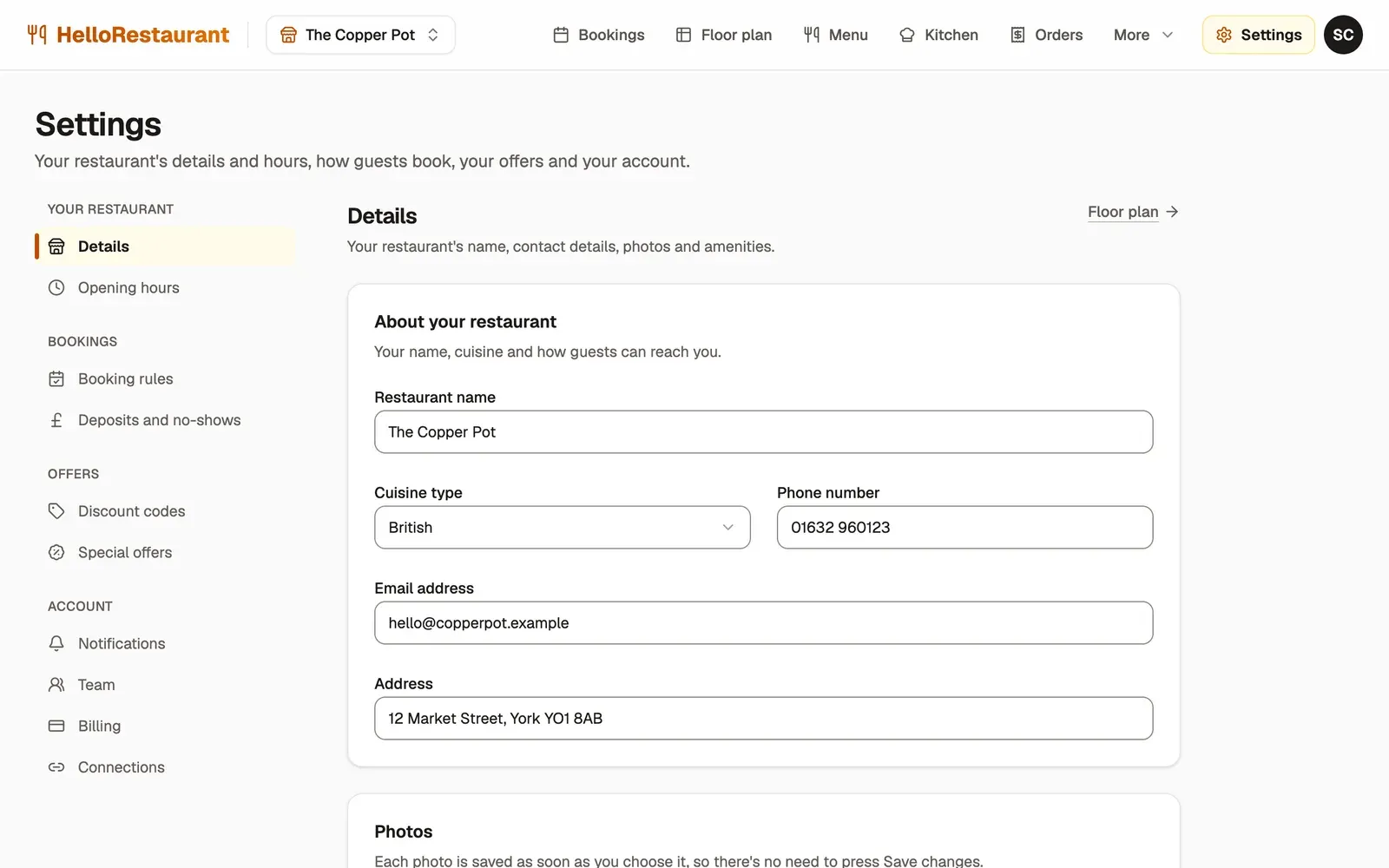
-
Open Settings in the top bar, then choose Details. On a phone, choose the section from the list at the top of Settings.
-
Check your Restaurant name and choose your Cuisine type.
-
Add the Phone number and Email address guests can reach you on, and your Address. Press Save changes.
Your email address matters: new online bookings, cancellations and the morning summary go to it, and replies to your emails to guests come back to it.
Photos
Section titled “Photos”Further down the same page, choose a Cover photo, which goes across the top of your booking page, and a Profile photo, such as your logo.
Each photo is saved as soon as you choose it, so there’s no need to press Save changes.
Amenities
Section titled “Amenities”Open Select amenities and choose everything you offer, such as Wheelchair accessible, Outdoor seating or Dogs allowed. Type to search the list. Press Save changes when you’re done. Guests see these on your booking page.
Set your opening hours, which decide when guests can book.