

Analytics
Analytics shows how the restaurant is doing over the period you choose. Managers and the owner can see it.
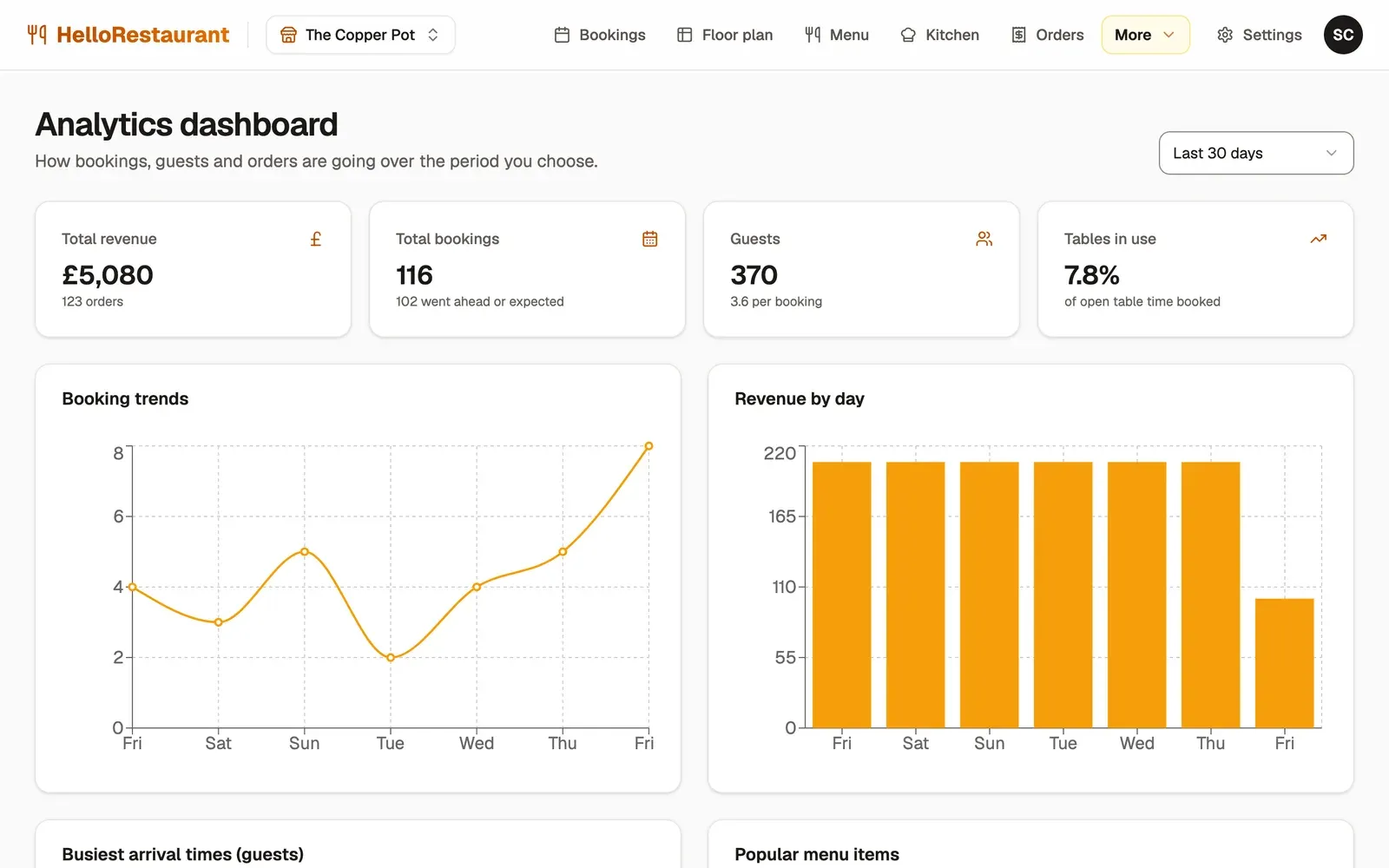
- Open More in the top bar, then Analytics, and choose the period: the Last 24 hours, Last 7 days, Last 30 days or Last year.
The headline numbers
Section titled “The headline numbers”- Total revenue: what guests ordered from their table and your team took on the kitchen screen, and how many orders.
- Total bookings: all bookings in the period, and how many went ahead or are still expected.
- Guests: how many people those bookings were for, and the average per booking.
- Average party size: guests per booking.
- Tables in use: how much of your open table time was booked. A low number on a night you felt busy can mean bookings are spread across tables: try Smart rearrange.
The charts
Section titled “The charts”- Booking trends and Revenue by day: how each day compared.
- Busiest arrival times: when guests arrive, to plan staff and pacing.
- Popular menu items: your best sellers.
- Booking status overview: how many bookings went ahead, and how many were cancelled or no-shows.
- Key metrics: the average order value, your No-show rate, total orders and Returning guests.
- Where bookings came from: booked online, booked by the team, walk-ins, and from the waitlist.
Every chart has its numbers in words too, for screen readers.